Steam Controller is working better

With the USB dongle. It was under the receiver, probably got pushed under there.

Guess Steam Controller using Bluetooth to a Steam Deck, running openSUSE has issues.

Hasn’t disconnected yet. Didn’t test turning TV off and back on though.

Just using Steam now, with SISR.

The media keys on my Sofabaton remote wasn’t working anymore in Linux. Turns out, the Sofabaton Consumer Control needed to be enabled in the mouse settings in KDE. It worked when testing with evtest in a terminal.

Commodore Callback

Commodore is making a new flip phone.

Do they plan on selling out? Cause I won’t have $500 for a while.

Only 4G though, so when T-Mobile shuts down their 5G, it won’t work anymore.

What do I need a web browser on my phone for? Should get good battery life. It can be used as a hot spot I think too. Battery is removable as well.

It’s running Sailfish OS, can it install Linux apps too? Or just Android crap?

Somebody will probably get a web browser working on it though. If somebody really wants a web browser.

Fixed viewfinder on my Olympus camera

Think I changed the brightness a while back. Must have been too bright. Making it easy, to take bad photos.

Still edited the photos though. Nothing like removing the shade or “vignetting”.

Now I need a lens hood, but this lens might have a hood sort of. B&H doesn’t even sell the lens anymore. Bummer.

Somebody said, changing the aperture can help. No idea what aperture I used, it’s a manual lens, and I only payed attention to the focus, to set it to 3.

All my photos in the other direction have flare. Must have been pointing the sun.

7Artisans 12mm f/2.8 Mark II that’s the lens. These photos might have been some of the best ones I took though with it so far.

Think I’ll order the Sensei PRO 67mm Wide Angle Aluminum Lens Hood from B&H. It’ll add more shade. I like shade.

Apparently using a UV filter can result in more flare. But I have to keep it’s protection on. The lens hood will add even more protection.

Double protection is better.

At least the shipping is only $4 from B&H. Don’t think I need or want anything else from them.

Wouldn’t get here till next Friday. I won’t pay more then $4 for shipping.

Too tired to keep looking for a different lens hood, from somebody with faster shipping. Slow shipping it is. I don’t buy anything from Amazon. No prime anymore. I’d have to give somebody money to order from Amazon.

Vegetarian Chili Dogs

Well, the chili had no meat in it. Somebody gave me some Omaha Steaks jumbo franks. Those are better then any store bought hot dogs. I might try some from a meat store sometime.

Chili was still frozen, and it was in the fridge. Guess it might take two days or longer to thaw that out in the fridge. No meat, so hopefully that means, not heating the chili up long enough won’t matter.

Heat rice up long enough though. Can get really sick from leftover rice.

Cooked the franks in the air fryer. One site said 350F, and the other sites said 400F. I just used 350F, as the thing on my fridge for beef sausages says that. Two minutes at a time. Might have taken 6 minutes.

Might be taking a runny dump soon.

I don’t blindly follow cooking instructions online. That’s how I burn my food. The franks were at least 150F.

On another note, if Linux fails to boot, it can easily be USB drives, if you don’t have nofail in fstab. Updated desktop, and it was going into the emergency. Last time, it was because the update, updated the systemd boot entries, and added a non existent snapshot for the root. I use ext4, so I have no snapshots. Didn’t need to regenerate the initrd images, or mess with the bootloader.

Just needed to turn it off, turn all the USB drives off, and turn everything back on. I wonder which drive it was though.

The chili was still better then last time I had it. I used frozen vegetables last time.

Think they did say to go on a high fiber diet, after my asshole surgery. But, I’ve been taking a runny dump everyday. I’ll keep taking the laxative anyways. If I don’t, then the next day, I might be constipated.

How many asshole polyps do Americans get removed every year?

Steam Controller might finally work

On my Steam Deck, runningĀ  openSUSE. Steam works for a while, then if the controller turns off, it won’t work anymore. Have to connect using Bluetooth, cause I’m too lazy to look for the USB dongle anymore.

Using sc-controller + gamepad-osk. Using the sc-controller in the openSUSE repo. Apparently, the on screen keyboard doesn’t work in KDE with Wayland. Maybe for some people.

The easiest way to get sc-controller to work and keep working, is by disabling the built in controller on the Deck.

cat /etc/udev/rules.d/59-steam-controller.rules:

SUBSYSTEM=="usb", ATTRS{idVendor}=="28de", ATTRS{idProduct}=="1205", ATTR{authorized}="0"

And set gamepad-osk to the Xbox controller sc-controller makes. I found the /dev/ path by looking in Game Controller in KDE. In my case, it’s /dev/input/event18.

Then open the menu for sc-controller, and change to the Xbox profile. I click the guide button to bring up the menu.

Well, if the controller is still working, I can see if the Deck can run PS2 games in an emulator now.

Buying a PS2 is too expensive, if connecting it to a TV without component. I guess my TV does have AV. The receiver might too.

Nope still not working right. Also, why is it using hid-generic? Thought it was supposed to use hid-steam. Guess I have to blacklist that driver.

Disabled the mouse input for the Steam Controller, and now it doesn’t move the cursor. In KDE settings. SC Controller is enabled though.

Disabling use serial numbers in sc-controller, doesn’t solve anything. It uses that driver on laptop too. Blacklisting it, didn’t blacklist it. But probably won’t fix anything anyways. I have a better idea, delete the udev rules for the Steam Controller.

After deleting 60-steam-input.rules and rebooting, it works again. And Steam Controller is still disabled in mouse settings in KDE.

One more test, turn TV and receiver off and back on. So it can restart lightdm. Cause KDE crashes if turning TV and receiver off.

It still works. But gamepad-osk might not. Probably because the /dev path changed. Trying to see if it auto detecting it, will work or not.

That works now, probably because I disabled the Steam Deck’s own controller.

Open PCSX2, and the controller stops working.

scc-daemon: DeviceMonitor add_callback found an already present device: 

The .config/scc/devices folder is empty.

scc-daemon: [Errno 5] Input/output error

Running btrfs check. Saw something about qgroup in the log.

If you can’t get it to work, unpair it, and repair it. Maybe I can’t use gamepad-osk with sc-controller.

Put sc-controller in a service file, so I can start gamepad-osk after it.

And switched to X11, perhaps the sc-controller will work better. Maybe KDE will stop crashing too. Also, now I don’t need gamepad-osk.

N3DS XL still works

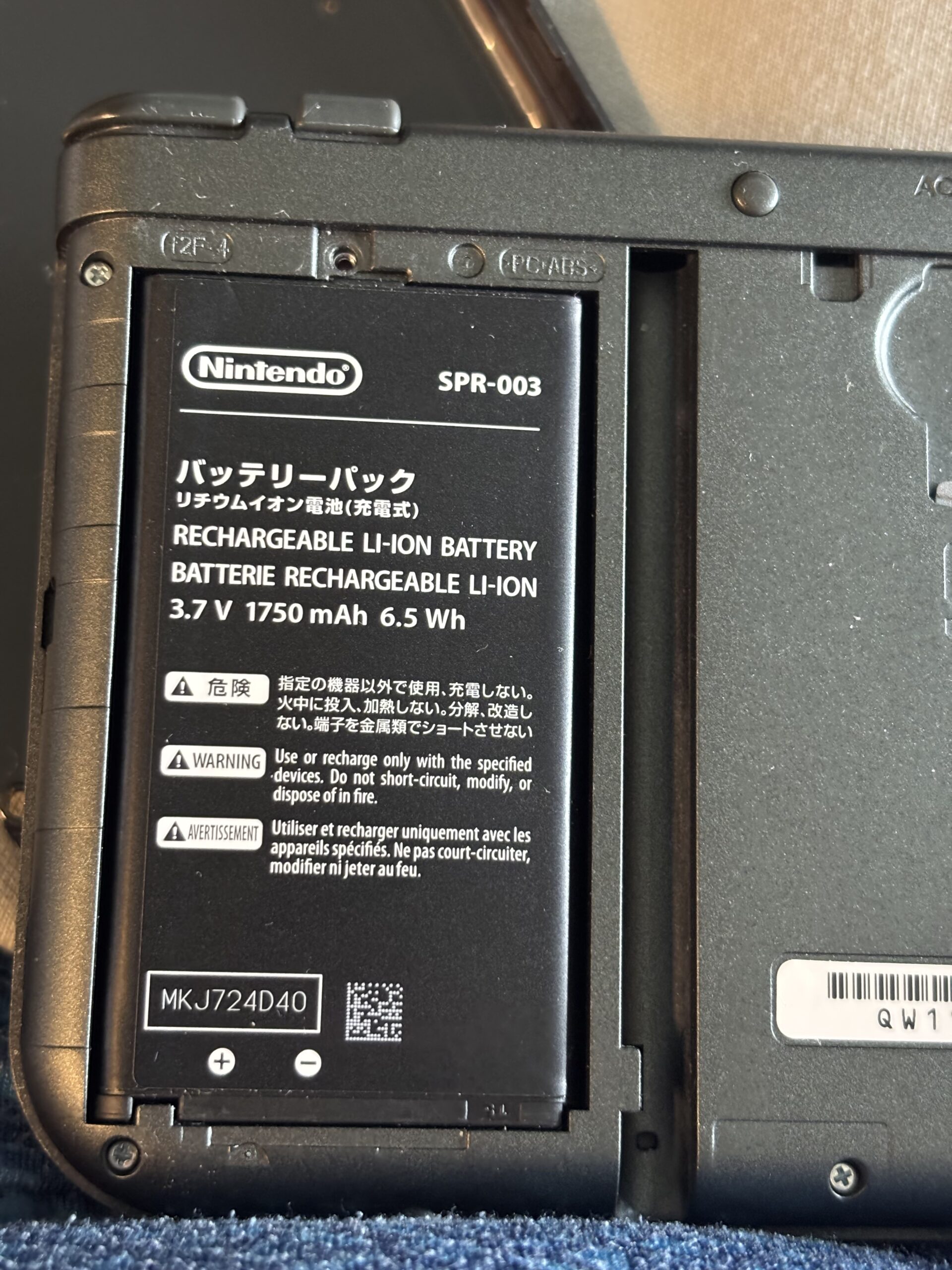
Battery was completely dead, but charged up. Don’t know how long it’ll last though. Bought a new battery.

Not even swollen. It’s been sitting in it’s case for a long time. It’ll fit in my bag, Switch wouldn’t fit that good.

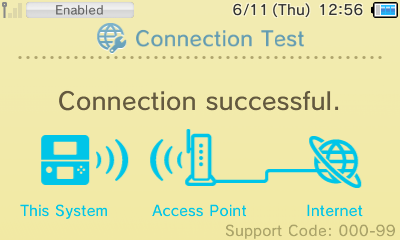
To get WiFi working, I had to Force enable the WiFi, using Luma3DS. Didn’t actually need to change any settings on WiFi.

Apparently the WiFi just doesn’t want to work. Made another VLAN, and disabled IPV6. Something said it’s supposed to enable WiFi, when needed. Well, it keeps turning on and off. At least if it has an IP address.

I blocked a bunch of Nintendo domains in Pi-hole. Does it need to be able to ping the gateway?

Internet says to delete WiFi connection and recreate. Well, that’s a long ass password.

Might help, if it can access the DNS server. And blocking all Nintendo domains, makes the WiFi disconnect constantly.

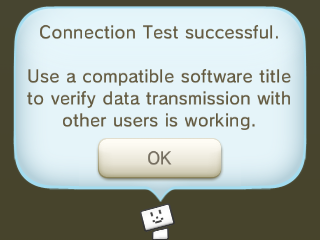
WiFi is working finally. Used NGINX and a modified version of this script.

conntest.py:

#!/usr/bin/env python3

import socket
import threading
from time import sleep

def udp_listener(port):
    #Listen on UDP port and echo back responses
    sock = socket.socket(socket.AF_INET, socket.SOCK_DGRAM)
    sock.setsockopt(socket.SOL_SOCKET, socket.SO_REUSEADDR, 1)
    sock.bind(('0.0.0.0', port))  #listening on every available network interfaces on the current machine
    print(f"[UDP] Listening on port {port}...")
    
    try:
        while True:
            data, addr = sock.recvfrom(1024)
            print(f"[UDP:{port}] Received {len(data)} bytes from {addr}")
            sock.sendto(data, addr)
            print(f"[UDP:{port}] Sent response back to {addr}")
    except KeyboardInterrupt:
        print(f"[UDP] Port {port} listener stopped")
    finally:
        sock.close()

if __name__ == '__main__':
    print("=" * 68)
    print("Ningandi: A personal connectivity validator server for Nintendo consoles")
    print("=" * 68)
    print("This project is NOT affiliated with, endorsed by or associated with Nintendo, Nintendo 3ds, Nintendo Switch,\nand other Nintendo products names and trademarks of Nintendo, Inc.")
    print("This project is an independent tool created to solve connectivity issues on local networks")
    print("=" * 68)
    print(f"UDP Listeners: ports 10025, 33334")
    
    #Start UDP listeners in separate threads
    thread_10025 = threading.Thread(target=udp_listener, args=(10025,), daemon=True)
    thread_33334 = threading.Thread(target=udp_listener, args=(33334,), daemon=True)
    
    thread_10025.start()
    thread_33334.start()

    try:
        while True:
            sleep(5)
    except KeyboardInterrupt:
        print("\n[MAIN] Shutting down...")    

You can also just use the original script. Now to make a .service file for it.

The battery life sucks with the original battery.

On your DNS server, point conntest.nintendowifi.net, nncs1.app.nintendowifi.net, nncs2.app.nintendowifi.net to the local IP with the servers

Amazfit better then Garmin

Got the Active 2 Round from Amazfit. The Garmin I have, has a shitty screen. Can only set it to be locked all the time, and their app sucks.

Amazfit Active 2 has an off wrist lock setting. Might not always work though. The Nothing watch I was using, has zero lock feature.

Last Apple Watch had a burnt charger cable. Won’t use any watches made by Apple.

Also I like round watches better.

Garmin also came with a short USB cable, and requires fucking with it, to get it to charge, or at least show the icon that it’s charging.

Should have got the Amazfit to begin with. Maybe it doesn’t always lock the screen, cause I use an elastic band. Doesn’t make me sweat. The band it came with did. Guess all those holes on it don’t do anything.

No idea if the Amazfit requires uploading the data to them, to sync it, like Garmin does. Old post on internet said it doesn’t.

Looks like it synced in airplane mode. Not sure why Bluetooth was still on in airplane mode though.

Nice, no more needing to waste data uploading to sync my watch.

A nice iOS feature, can’t connect to WiFi after disabling airplane mode. Rebooting phone, as it’s most likely the phone. Looks like that fixed it.

Another good iOS feature, it has to be rebooted sometimes, as nothing will load.

IEEE 802.11: did not acknowledge authentication response

No I won’t change settings so the iPhone can connect easier.

OPNsense is working finally

Ditched pfSense, cause there wasn’t a security update for unbound for the CE version. No idea if there is yet or not.

Well, OPNsense made my network faster anyways. Ended up passing through the network card. Did I try that with pfSense? No idea.

Couldn’t ping my Atari VCS on WiFi, using the non WireGuard IP. I was right though, it’s a WireGuard issue.

Use this AllowedIPs calculator. Enter “0.0.0.0/0” for allowed, and then enter all the IPs you want to be able to access it, not using WireGuard.

Just mess up the WireGuard config on it, then ping the non WireGuard IP, and it works.

Make sure you add the IP of the device with WireGuard on it.

I’m not paying for security updates. Even though, security doesn’t exist. But no, I don’t trust Comcast’s DHCP servers.

steamdeck kwin_wayland[2182]: atomic commit failed: Permission denied

That’s likely why KDE crashes on Steam Deck, when turning the monitor off.

I set KWIN_DRM_NO_AMS=1 to try and fix it. Have that on laptop too, and KWIN_DRM_NO_DIRECT_SCANOUT=1, which seems to have fixed AMDGPU from crashing on laptop.

The Deck was completely frozen or something this morning as well. Could ping it, but no SSH. And turned TV on, and black screen.


#!/usr/bin/bash
while :
do
    _cmd_systemd=$(systemctl is-system-running | grep -e "initializing" -e "starting" -e "maintenance" -e "stopping" -e "offline" -e "unknown")
    _cmd_pid=$(pidof /usr/bin/kwin_wayland)
    if [ $(cat /sys/class/drm/card1-DP-1/status) == "connected" ] && [ "$_cmd_systemd" == "" ] && [ "$_cmd_pid" == "" ] ;
        then
        echo "restarting lightdm"
        sleep 1
        systemctl stop lightdm
        sleep 1
        systemctl start lightdm
        sleep 10
    fi
    sleep 15
done

Script to restart KDE from udev, if auto login is enabled.

It finally works, without restarting lightdm over and over again. Might be why the Deck is crapping out.

Don’t bother with UDEV. “amdgpu 0000:04:00.0: [drm] Dirty helper failed: ret=-22”. Must have crashed it. Ran systemctl soft-reboot, and it’s working again.

Updated the script, it can be ran from systemd.

If ten seconds is too long of a wait, change it to less, or remove it. Think I’ll increase it by 5, just in case. LightDM has a timeout of 5.

[Unit]
After=systemd-user-sessions.service getty@tty7.service plymouth-quit.service lightdm.service

[Service]
ExecStart=/opt/restart_plasma.sh

[Install]
WantedBy=multi-user.target

It’s still crashing, even with disabling AMS.

PipeWire slow to restart

Just trying to get netjack2 to work. I rebooted it, got sick of waiting for it to restart pipewire.

It works. Just don’t test the audio in KDE Settings. That doesn’t work. But sending audio from SDR++ works.