Blog

  • AsteroidOS on LG G Watch W100

    To enable adb, click the reset button, so the power button appears while it’s on, place on charger to turn on, or maybe reset button turns it on too. Then swipe to get to settings, and the rest of instructions can be found here.

    Don’t ask me how you get the watch to show a popup to authorize your computer, neither laptop nor desktop works apparently. It says unauthorized. It’s possible the OS on it is ancient.

    Maybe the OS is too old or something. Oh well. Might get rid of Rabbit r1 anyways.

    The build on my watch is KKV51, search says pre release, so probably ancient.

    See here for getting in fastboot, without adb working, or not enabled.

    And the OTA links on XDA are all dead. Also, I originally thought I need the wear app, but it can’t even find it. Found a link. Maybe ADB works with that. Hmm, which LG G Watch model is that for?

    Before possibly bricking it, by using fastboot to flash the files in that archive, I found this.

    To make that script work, you may need to change the linux fastboot and adb command, to whatever is installed, so for me just adb and fastboot. And then remove sudo, I just replaced sudo with nothing in kwrite, nano can probably do it too.

    I’m doing a factory reset now, cause the recovery thing is broken. I booted it, and got into settings. Didn’t try adb yet.

    function platform
    {       platform=`uname`
            if [ $(uname -p) = 'powerpc' ]; then
            echo "[-] PowerPC is not supported."
            exit 1
            fi
     
            if [ "$platform" = 'Darwin' ]; then
            ADB="./adbosx"
            FASTBOOT="./fastbootosx"
            version="OS X"
            else
            ADB="adb"
            FASTBOOT="fastboot"
            version="Linux"
                   
            fi
    }

    For fixing the adb and fastboot commands.

    Also, it’s not hard to do yourself without the script, but I’m lazy. Not even sure I need to back it up, before putting AsteroidOS on it, since I could just reflash it with that script, or manually, the script includes the images needed.

    And flashing that version of WearOS, fixed it, got the prompt, and am sending the file.

    So if you get an LG G Watch W100 with ancient firmware, use that script and adb should work.

    And I might be using a USB 3.0 port as well. Not sure this laptop has any 2.0 ports. My desktop might, in the back, but that’s a lot of work.

    Backing up now. Yes AseroidOS works.

  • Don’t buy a Rabbit r1 or any 4G LTE device to use on T-Mobile

    Looks like T-Mobile is going to start phasing out 4G LTE next year.

    Degraded 4G LTE performance at some point, that could mean less coverage. I might miss a lot of texts and calls, if I have no cell signal at home.

    Looks like I don’t need to bother getting a SIM card after all.

    Could use a phone as a hotspot with the r1, if using Ubuntu Touch on the r1, and an iPhone, you may need to enable the maximum compatibility. Or get a hotspot of some kind.

    Not sure they make 5G flip phones. So that might not be a good option either.

  • Virtual jailbreak iOS

    Not sure what a virtual jailbreak is vs a non virtual jailbreak. A virtual jailbreak is compatible with my phone apparently.

    Looks like the TrollStore 2 uses LiveContainer which bypasses the 7 day limit, so you don’t have to resign. Basically side loading.

    Might be useless. Probably need root, to get rid of Apple’s AI crap. And a bunch of other Apple crap.

    Wonder if you have root, if you can backup eSIM profiles, since Ultra Mobile is a dick. I think you need the Ultra Mobile app on the new device, to get a new eSIM. Useless, if using an eSIM adapter in Ubuntu Touch. Might be useless in Android too using an eSIM adapter.

    Now to backup my phone, and maybe install TrollStore 2. Might try and lookup if it has root first. But probably won’t find an answer, as search engines are useless.

    If I brick my phone, I’ll need a SIM card though. And I refuse to pay $10 for a SIM card. So I might have to switch to Tello. They might refuse to give me my port info without me getting a text, so I’ll file a complaint, which won’t do anything, thanks to the corrupt government. A new number in that case. I don’t care enough about any phone number to try very hard to keep it.

    According to the AI search crap on DuckDuckGo, no full system root. Bummer.

    TrollStore is not a jailbreak tool. TrollStore 2 IPA Installer utilizes a codesign bypass and additional exploits for the permanent signing of apps with necessary entitlements.

    From here. Why the fuck do they call “sideloading” a virtual jailbreak?

    Ahh well, might do it anyways.

    According to that, my iOS isn’t supported. Some other “virtual jailbreak” on my iPhone said it was compatible. Didn’t look at the “virtual jailbreak” TrollStore 2 on iPhone yet.

    According to this, it should be compatible. At least with the iOS version, I don’t remember what CPU it has, nor do I care.

    But it uses something called “TrollsMe” to install it.

    That links to a “iJ0ly” page, but the page says not compatible with my iOS, while the other page says it is. Can’t find the official site, so I’ll pass.

    Hmm, what about Bootsra AI? Is it offline AI, or do they collect and sell everything they collect? LOL, claims my device is compatible, but the page with the info on it, says the opposite. Now to look for their official site.

    Here is their GitHub. The official link to install is on iospack.com, so I’m on the possibly real install site.

    Eh, I’ll use TrollsMe, and use the Bootstra AI Store I guess. Looks like you need Bootsra, to get TrollsMe anyways.

    What a pain in the ass, you have to type a prompt. Fuck AI.

    Haha, free daily requests reached, on the first one. Probably cause I use a VPN. Now to uninstall this BS. No I’m not donating to use internet AI. I’d rather buy a SIM card in that case, and use my Rabbit r1.

    Some of this shit, requires Windows or Mac. I refuse to turn Mac on.

    Found some “SideStore Repositories”, not seeing an eSIM extractor app.

    This might work in Linux.

    I can piss Apple off even more, until I buy a SIM card. I may never buy a SIM card though. It should be free.

    Does it need a root Distrobox? Probably. First the non root one. Then the root one if it doesn’t work.

    My Ubuntu in Distrobox is too new. Can I compile it?

    Compiling, but might not be needed, Noble official repos include libhandy-1-0 libhandy-1-dev, assuming they are the right version.

    ImportError: cannot import name ‘T’ from ‘re’ (/usr/lib/altlinux/_internal/base_library.zip/re/__init__.pyc)

    Possible solution here. Hmm, maybe don’t compile it, now I have to fix and recompile/install I guess.

    from re import *
    

    Might fix it, in main.py.

    Now seeing if compiling actually works with modifying that.

    ModuleNotFoundError: No module named ‘gi’

    LOL, might be easier to use an older Python.

    python3-gi is already the newest version

    What version of Python is it using?

    python --version
    Python 3.13.5

    It’s using python in the main.py file, but I bet python3 is the same version. It is, just checked.

    python main.py doesn’t work either.

    which -a python3
    /home/uranus/miniconda3/bin/python3

    LOL, forgot about that. Now to install gi to that, cause I’m lazy. Too lazy to use the other Python.

    pip install PyGObject if you’re too lazy to use system Python.

    I would just need to change my source or whatever, or comment out the minconda crap in my profile or bashrc.

    Eh, just use system Python, too much work, need girepository-2.0 to install PyGObject.

    Should be system Python now. Removed the conda crap from PATH.

    Hmm still doesn’t work, the compiled one.

    ValueError: Namespace Notify not available

    If you run python main.py, after changing PATH.

    Need libnotify 0.8.1 or newer.

    LOL, search engines suck ass. Can’t even find the dependencies for building libnotify. Now to see if the cargo thing can install it.

    Probably not, it’s for Rust. But I don’t think Python is written in Rust.

    Ahh, cargo must be for something else. miniconda3 is what has my Python. I should pay more attention.

    No libgirepository-2.0 for conda crap.

    Easy fix, install “libgirepository-2.0-dev”. Then install “PyGObject” with pip.

    Now I need “AppIndicator3”. gir1.2-ayatanaappindicator3-0.1 might fix that. Nope, is that a Python thing? If so I need to use pip.

    gobject-introspection and gtk3 needed too. Installing with conda. and handy.

    Well, good luck using conda, it’s missing the some of the needed packages.

    So it only works with notify 0.7? Bummer.

    And “libnotify-dev” fixed main.py.

    What a pain in the ass. I should just use a source based distro, and I might not need these fucking dev packages. Well, a source based distro in Distrobox.

    curl: (7) Failed to connect to 127.0.0.1 port 6969 after 0 ms: Couldn’t connect to server

    Also, was missing libplist-dev.

    Doesn’t work if you build it still.

    This might work.

    So Distrobox can’t use that image? Cause it says not found, even putting hub.docker.com, or docker.com, or docker.io.. Guess I need podman.

    podman run -d -p 6969:6969 --name anisette dadoum/anisette-server:latest

    You probably have podman, if you have Distrobox, instead of fucking with Distrobox, I used podman.

    You might need a different command for podman, or it’s not running.

    Ahh, need to run podman in Distrobox, that might not work very well. It’s missing shit, I’m too lazy to install it. I like to keep Fedora Kinoite with little crap installed. Might need a VM, that won’t happen till tomorrow though.

    And won’t work, cause it’s trying to use same folder, and yes I’m too lazy to fix it. Maybe I can use system podman in it.

    Except, that won’t work most likely. Oh well.

    distrobox-host-exec useless, it’s using the host podman, which is using what’s installed on the host.

    Would be easier to use podman directly.

    Maybe this works. Better command. And that works, it’s running anyways.

    And can’t find iPhone, in rootless container. Too bad you can’t convert it to a rootful container. Now I have to reinstall the crap it needs.

    gi.repository.GLib.GError: g-exec-error-quark: Failed to execute child process “dbus-launch” (No such file or
    directory) (8)

    If you run it as root, I doubt running it as my user in a rootful container will work, I checked /dev and almost everything is owned by root. Oh I needed dbus-x11.

    And you shouldn’t run it with root, according to somebody. Well, gnome-tweaks or something. But Distrobox said to access USB, you have to be root. Even though somebody said you could pass the iPhone’s dev to it.

    lsusb works in non root container. Guess that isn’t good enough, bummer.

    Something else seemed to say, you need root. So good luck, if you can’t run the server thing in root.

    distrobox create --additional-flags "--env DBUS_SYSTEM_BUS_ADDRESS=unix:path=/run/host/var/run/dbus/system_bus_socket"

    May or may not fix it, but that would create a new container, that requires reinstalling the crap again. Should go to bed though, and give up for tonight, or forever.

    And it looks like the only option is to create a new container, pathetic to say the least.

    distrobox enter -r Ubuntu-root --additional-flags "--env DBUS_SYSTEM_BUS_ADDRESS=unix:path=/run/host/var/run/dbus/system_bus_socket"

    But once you run sudo su, it gets rid of that var. Now to set it manually.

    gi.repository.GLib.GError: g-dbus-error-quark: GDBus.Error:org.freedesktop.DBus.Error.ServiceUnknown: The name
    org.freedesktop.Notifications was not provided by any .service files (2)

    Still same error, so that might not be the problem.

    So they say you need root, but nobody tried running the server thing for SideLoad.

    Either look for a command line one tomorrow, or just use my desktop. Too lazy to use a VM. Well I mean later today, since it is the next day.

    Going to bed, thanks Distrobox for failing me. I’m far too lazy to find the fix myself, or keep searching broken search engines.

    There’s this for Linux, but you have to login to GitHub to download apparently, probably why I couldn’t find a download link. I might compile it on my desktop tomorrow. Or find something else.

    Better go to bed, almost 1 AM. Maybe don’t bother with sideloading. Might be up too late for days again, like when trying to get TWRP to boot. Well, I might have gotten the sideloading to work, if I used my desktop.

    Update

    Side loading won’t get you root, and a virtual jailbreak is only root in a virtual environment. So probably not worth messing with. Doubt I can do what I want without a full jailbreak.
  • There’s a software eSIM solution

    swsim

    Was wondering if such a thing existed, was searching for something else. But you need to know way more then me probably to use that. Like how cell networks work, and the values you need to connect.

    And you’d need to cross compile it if using Ubuntu Touch. Unless you are using it on Intel. Probably easier with a massive static build of it.

    Too much work for me, and I have no idea how you get the values needed to connect.

    Need a PC/SC reader, so I can get the 9esim, and use my computer to manage the eSIMS, no idea if Ubuntu Touch can manage it, or even if my phone is compatible with managing it. Should be able to use a SIM card on it. I only plan on putting one on it. That way I never have to wait for a fucking SIM card, or pay for one.

    Not sure which reader works with 9esim and Linux though .

    They don’t sell their reader on Amazon, I refuse to get international shipping, which requires paying criminals money.

    Can the Raspberry Pi be used to read SIM cards? With the GPIO or whatever.

    Can’t see all or search reviews on Amazon on my laptop, cause they force you to login, no thanks.

    Scm Microsystems SCR3310 USB Smart Card Reader might work, somebody made an issue, and uses that. More then the other model from a different brand, but who cares.

    Apparently it doesn’t work with Tello eSIM cards. What about Ultra Mobile? No idea, search engines don’t understand English. Probably not worth buying to find out it doesn’t work.

  • Rabbit r1, Ubuntu Touch down to 37% battery after 9 hours

    If it’s really supposed to have better battery life with Ubuntu Touch, the only thing that might solve the problem is reflashing it, and formatting userdata. Maybe going back to the old version as well.

    You could backup the userdata, using tar via SSH. It won’t take as long as backing up the entire drive, unless you are using a ton of space. Well, actually, not sure how slow tar is on it. Maybe don’t compress it. Or use rsync or something.

    Waydroid doesn’t seem to work on it, using the latest version either. No idea if it works using the old version. Somebody with a different device, had issues using Waydroid too, no replies though.

    Since I might do absolutely nothing to use it as a phone, I might not reflash it or anything.

    Maybe I need to flash the latest Rabbit OS as well. That could possibly break Ubuntu Touch though.

  • Rabbit r1 isn’t great for reading stuff on the internet

    At least the default browser in Ubuntu Touch isn’t. The Ubuntu Touch forums aren’t really readable on it. Probably because of the small screen. Not sure if I tried rotating the Rabbit though. You could try a different browser, the LibreWolf one I tried, doesn’t work, doesn’t even open, and that’s opening from the app drawer thing, not the store.

    If I get a working SIM card, it’ll probably just be mostly used as a phone.

    Thanks to VPN, I’ve been reading less on my iPhone anyways. Reddit loves blocking VPNs. No, I won’t login to my account, I might delete it though. Oh wait, you have to login. Well, they can keep it then.

    And I stopped looking at Bluesky. But there might be an app you can use to view Bluesky, maybe it’s readable on the Rabbit.

  • Don’t recommend HP laptops for Linux

    Apparently they randomly reboot themselves, at least the newer AMD ones do. Wasn’t cheap either.

    Is it worth enough to buy a refurbished HP Chromebook? I can put open source bios on it. eGPU won’t work with it, but oh well.

    Maybe it’s worth enough to get a compatible Chromebook with more RAM. Get rid of the eGPU too.

    Might be related to amdgpu. Apparently Linux hasn’t fixed the problem yet, whatever it is. Or the laptop is defective.

  • Best Buy Ultra Mobile Starter SIM card can’t be used as a replacement SIM card

    We’re sorry. The SIM you entered is a pre-funded SIM card. Pre-funded SIMs cannot be used as replacement SIMs, they can only be used to activate new service. Please try again with a valid replacement SIM.

    Didn’t know a $2 SIM card was “pre funded”. But apparently it is.

    I won’t pay $10 for a SIM card. I might change my service though.

    But there might be some kind of event on October 29th, so I might do nothing.

    LOL, apparently Mint Mobile sends you replacement SIM cards that say the same thing. Both owned by T-Mobile. Can’t read it, as it’s on Reddit, and they like blocking VPNs.

    What’s the cheapest service I can get a SIM card in town? Don’t want Boost Mobile. Read bad things about them.

    If I can’t get anything I want, I’ll probably do nothing. Might have no money next month, and might be moving anyways. Or I might be dead. Got to wait until October 29th, to find out if anything happens.

    What happens if I put SIM card in my Rabbit r1? Can I activate it in a browser or something?

    Might be bargain, if a $2 SIM card is “pre funded”.

    Also, the service has to use T-Mobile towers. Don’t want anything else, and Rabbit r1, may or may not do anything else, too lazy to look.

    I don’t want to call the number either, only if I get my account number to port my number. Not to activate a SIM card, cause their site doesn’t work.

    Looks like Tello SIM cards, can only be bought online. Faster on Amazon, and I no longer buy anything on Amazon. They got rid of my prime that was on my mom’s plan. I have to be on some family thing, that may or may not be possible. I don’t care enough, to ask her to look at it. She said she was going to look at it, but I probably said I didn’t care.

    I don’t like Amazon, so I really don’t care, if I ever give them anything again.

    And as usual, search engines are completely useless. Reddit might have something, but that requires split tunneling, or disabling VPN. Not worth the trouble.

    Maybe a T-Mobile Connect SIM card can be had at a T-Mobile store. But then I’m directly giving T-Mobile money. Oh wait, I already am. Damn.

    Also, would need another new account on T-Mobile, they are dicks. If I try to use an old account, it doesn’t do any good. Oh well.

    To find T-Mobile Connect, search on a crappy search engine, any should find it. The prepaid site sucks, might lack a link to it.

    $10 for a T-Mobile SIM card, no thanks. Dicks. I’d rather pay for a SIM card with a plan on it. From some other provider.

    Well, looked at the old Reddit post for Mint Mobile, and at least 3 years ago, you have to pony up $10 and wait who knows how long to get it. Not worth the trouble.

    T-Mobile is a massive dick head. Maybe porting to VoIP, and only having WiFi at some places, is the better option.

    Well, I could get one of those SIM card eSIM adapter things. That’ll cost more, but won’t have to deal with waiting for SIM cards. Or paying $10 for a fucking SIM card.

    Just have to give the money to my mom, so she can give it to shitty Amazon. Still rather not give Amazon anything.

    But the better eSIM adapter, doesn’t come with a card reader on Amazon. Somebody said they had to buy card reader directly from the company. That might be expensive, depending on where it ships from.

    9esim might ship from the UK. No thanks. Not giving Trump money either.

    I could give her money to buy a Tello SIM card on Amazon. Or I could just use the iPhone as a phone. Back it up, reset it, disable a bunch of crap, see what I can do about the Apple Maps tracking me.

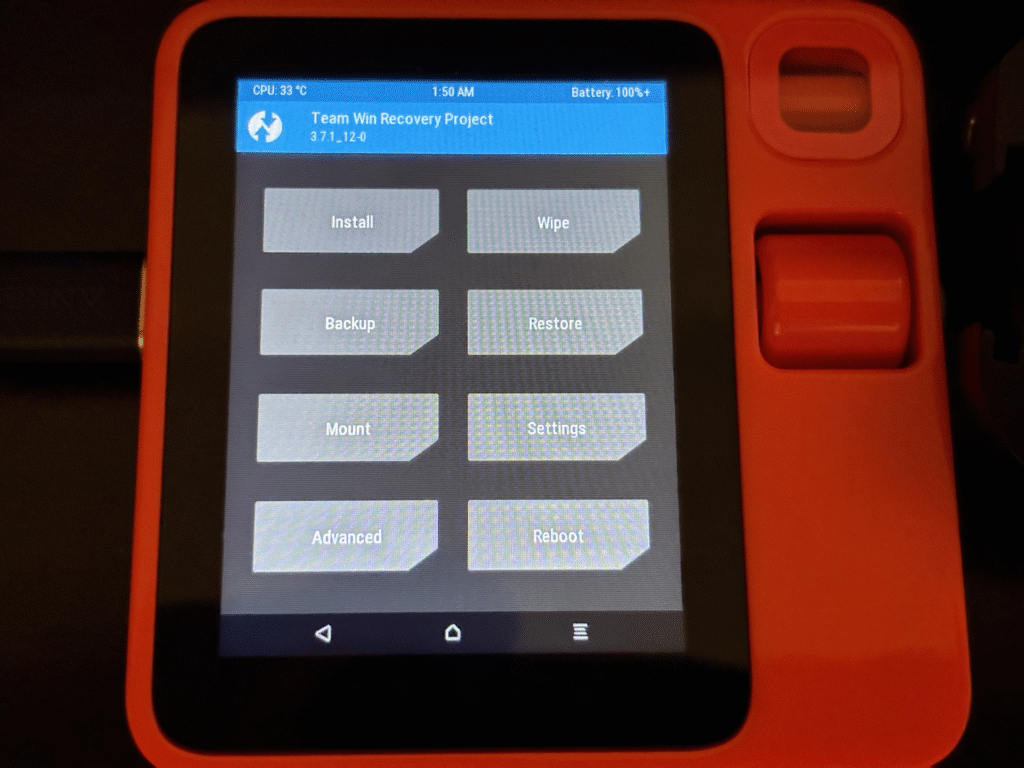
  • TWRP boots on Rabbit r1 finally

    It boots, touch screen works too, cause I rebooted using the UI.

    Probably won’t ever test flashing, as I only wanted to see if I could get it to boot. And in one of the .mk files, for two partition sizes or something, it says it’s a hard coded value, needs to be changed. So probably doesn’t work.

    And it’s mounting the vendor crap now, cause I deleted the vendor folder. Not enough room on boot, for all of vendor.

    Well bed time, maybe tomorrow or some other day, I’ll share some mk files, and maybe more info.

    It took multiple how tos to get the damn thing to boot TWRP. Most of them outdated too.

    The last one that did the trick, was for making a recovery image, but don’t bother running mka recoveryimage, even if it makes the .img file, it probably won’t work. So you need to be able to understand and not just follow the instructions. So you can not do the stuff that’s for the recovery image. I commented that crap out, since the Rabbit r1 clearly uses boot.

    I even looked in the firmware I downloaded, and there’s no recovery.img.

    Somebody else may want to get flashing working. But I don’t think I care that much. Cause I have Ubuntu Touch on it, and plan on using that. It has it’s own recovery, that it probably needs for updates, and if you need to fix it.

    Also, don’t bother looking at the boot for Ubuntu Touch, it’s way different. If you compile Ubuntu Touch, it compiles it’s own kernel.

    With TWRP, you can use an already compiled kernel, probably faster. But possible to compile the kernel if you really want to do the work.

  • Google is a cunt

    An email from a Democrat, was marked as spam, that wasn’t an accident. I checked the headers, they look good.

    Now to mark the email from a republican named Richard as spam.

    Dear friend,
     
    If you’re reading this, our government has officially been shut down thanks to Republicans. I introduced a bill to keep the government open AND address the looming health care crisis—but Republicans are hell-bent on keeping their over $1 trillion cuts to health care that they enacted through the passage of their Big Ugly Bill. They’re full steam ahead on their plan to gut Medicaid and sabotage the Affordable Care Act. Hospitals across our state are already laying off staff as a result, and our rural hospitals are particularly at risk of total closure. What’s more is that because of Republican inaction, premiums are set to skyrocket across the country. NBC reported on one family here in Washington state that’s been paying $278/month but next year it could be as much as $1,800 per month—friends, that’s outrageous and it will drive families to the brink. 

    There’s the truth. They actually read the bill, and/or don’t lie.

    That’s only part of the email.

    Google is trying to censor my email. They will probably start blocking email Trump doesn’t like next.

    Tempting to delete my Google account. But I probably shouldn’t do that yet.

    I should setup a filter, to mark all of Richard’s emails as spam. I never subscribed to it myself. Any future emails can all go to the spam folder too.